Decision Lantern

Home and office calculator

Monitor-arm VESA and weight checklist

Reviewed Skip to the planner

People matching a monitor arm to display weight and count. The decision this page isolates is narrow on purpose: choose a standard, heavy, or dual arm from pounds and monitor count. Fit and capacity are the expensive mistakes. Settle those before you commit to a finish or a brand.

This page produces an explainable category or size so options can be compared without a product ranking. The calculator does not rank Ergotron, Humanscale, and VIVO. It produces an explainable class so Ergotron LX Desk Mount, Humanscale M8.1, and VIVO Dual Monitor Desk Mount can be compared as examples of that class.

The working method is: Compare the heaviest display weight and the number of monitors to published arm classes. Planning notes are grounded in UPLIFT Desk. This page does not quote a price or rank a brand.

How to use this calculator

People matching a monitor arm to display weight and count. Choose a standard, heavy, or dual arm from pounds and monitor count. If you can answer heaviest monitor pounds and monitors on the arm, this page can produce a class you can shop against.

What this page will not do

  1. Enter the planning inputs

    Check monitor-arm compatibility by recording heaviest monitor pounds and monitors on the arm. Use real measurements or counts, not a rounded marketing number.

  2. Keep optional extras off until they are real

    This tool has no optional add-ons. If a number is uncertain, calculate a range and keep the more conservative class.

  3. Read the arm category

    Check compatibility and treat the headline as a class, not a product name. Matching examples below follow Standard, Heavy, Dual, and Triple.

  4. Compare official pages, then verify

    Open the official page for each example in that class. Confirm current specifications, dimensions, and terms. Decision Lantern does not quote a live price or complete an install review.

Planning classes on this page

Standard
Example: Ergotron LX Desk Mount, Humanscale M8.1, VIVO Dual Monitor Desk Mount
Heavy
Example: Ergotron LX Desk Mount
Dual
Example: Humanscale M8.1, VIVO Dual Monitor Desk Mount
Triple
Example: VIVO Dual Monitor Desk Mount

Check monitor-arm compatibility

Arm category

Standard VESA arm

Compare options with at least:

  • 14 lb display
  • 1 monitor
  • Confirm 75×75 or 100×100 VESA and desk thickness

Example products for Monitor-arm VESA and weight checklist

Real products that fit this planning category. Specs come from the manufacturer’s product page. These are examples, not rankings. Product names that go to Amazon are associate links. Decision Lantern may earn a commission at no extra cost to you.

Compare the official examples

The table below is a side-by-side of the official examples on this page. Columns are published facts—maker, planning class, and notes taken from the official page—not scores. Ergotron LX Desk Mount, Humanscale M8.1, and VIVO Dual Monitor Desk Mount are included so you can see how classes differ, then open the official page for the current specification.

Published facts for the example products on this page. Not a ranking.
ExampleMakerPlanning classesPublished notesOfficial page
Ergotron LX Desk MountErgotronStandard, HeavyVESA; Published weight rangeErgotron LX Desk Mount official page
Humanscale M8.1HumanscaleStandard, DualDynamic mount; Dual optionsHumanscale M8.1 official page
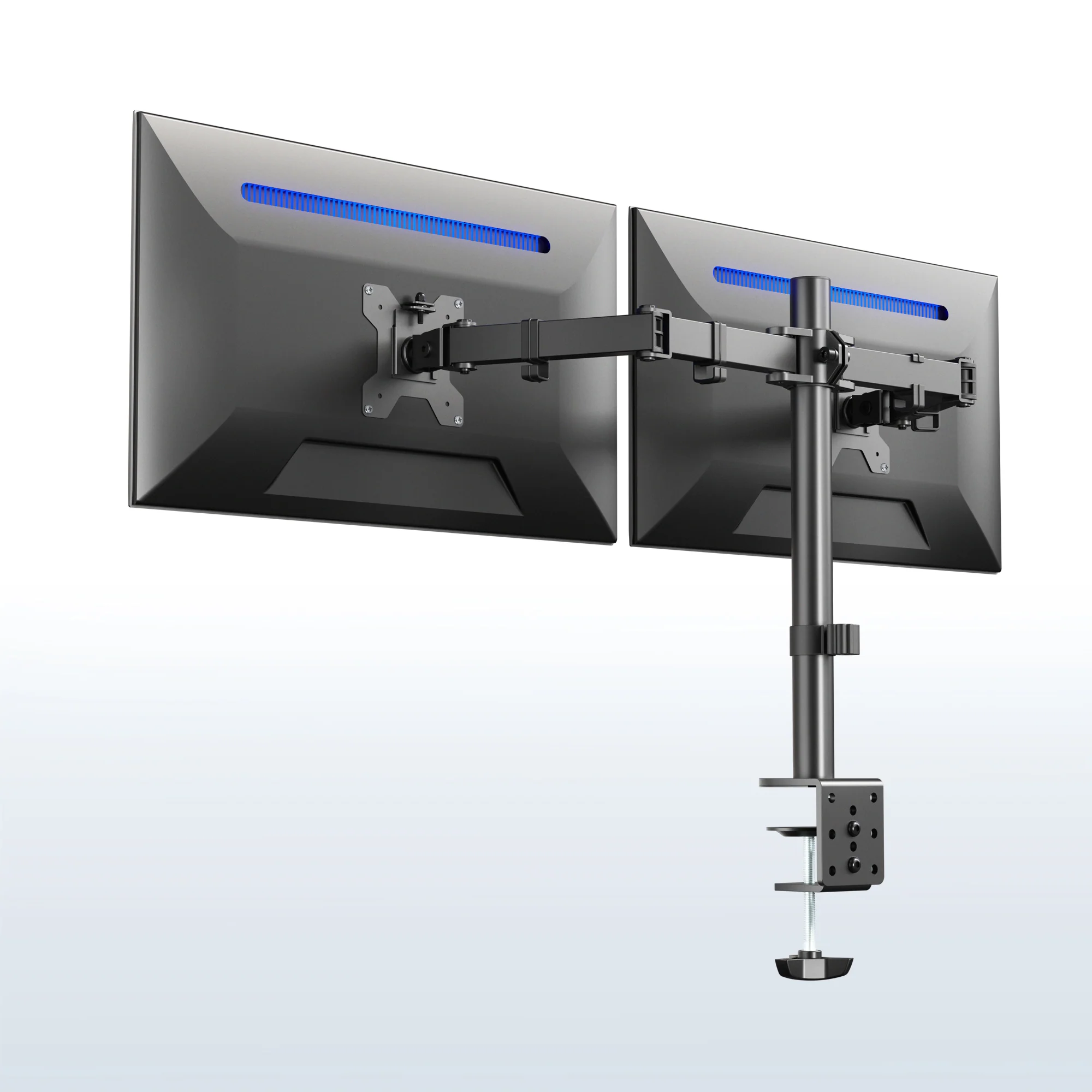
VIVO Dual Monitor Desk MountVIVODual, Triple, StandardDual clamp; Check weight each sideVIVO Dual Monitor Desk Mount official page

Which example fits which class

Ergotron LX Desk Mount

Ergotron

Ergotron LX Desk Mount from Ergotron is an example in the Standard and Heavy class. Published notes on the official page include VESA and Published weight range. Keep it in the shortlist when your result lands in that class, then confirm the current specification before you buy.

Humanscale M8.1

Humanscale

Humanscale M8.1 from Humanscale is an example in the Standard and Dual class. Published notes on the official page include Dynamic mount and Dual options. Keep it in the shortlist when your result lands in that class, then confirm the current specification before you buy.

VIVO Dual Monitor Desk Mount

VIVO

VIVO Dual Monitor Desk Mount from VIVO is an example in the Dual, Triple, and Standard class. Published notes on the official page include Dual clamp and Check weight each side. Keep it in the shortlist when your result lands in that class, then confirm the current specification before you buy.

What to verify before you buy

How this estimate works

Compare the heaviest display weight and the number of monitors to published arm classes.

Know the limits

  • This page does not quote a price or rank a brand.
  • Manufacturer specifications and local rules can change and must be verified.
  • The result is a planning category, not a safety, medical, or install guarantee.

Frequently asked questions

How does the monitor-arm vesa and weight checklist work?

It converts heaviest monitor pounds and monitors on the arm into a planning class using a published rule. Compare the heaviest display weight and the number of monitors to published arm classes. The headline is a class such as Standard, Heavy, Dual, and Triple, not a vendor ranking.

Is Ergotron LX Desk Mount better than Humanscale M8.1?

This page does not rank Ergotron LX Desk Mount, Humanscale M8.1, and VIVO Dual Monitor Desk Mount. Ergotron LX Desk Mount and Humanscale M8.1 are listed because they are real products with official pages that map to different or overlapping classes. The useful question is which class matches your inputs.

Can I treat the result as a buying recommendation?

This page does not quote a price or rank a brand. Use the class to decide what to read next, then verify fit, terms, and installation requirements on the official page and with a qualified installer when the product needs one.

Do the product links earn Decision Lantern a commission?

Not on the current preview. Links go to official manufacturer or service pages. If compensated links are added later, the disclosure on this page will say so in plain language.

What should I verify after I get a class?

Confirm the current specification, dimensions or plan limits, and any program terms on the official page. Manufacturer specifications and local rules can change and must be verified. The next editorial review for this page is due 2026-11-14.

Why these 3 examples?

They are real home and office options with an affiliate program on file and an official product page. Ergotron, Humanscale, and VIVO appear because each one can represent at least one planning class on this page, not because Decision Lantern tested or endorsed them.

Sources

  1. UPLIFT Desk standing desks, UPLIFT Desk. Retrieved .

Next review